Your resume, on the employer's form, in one click.
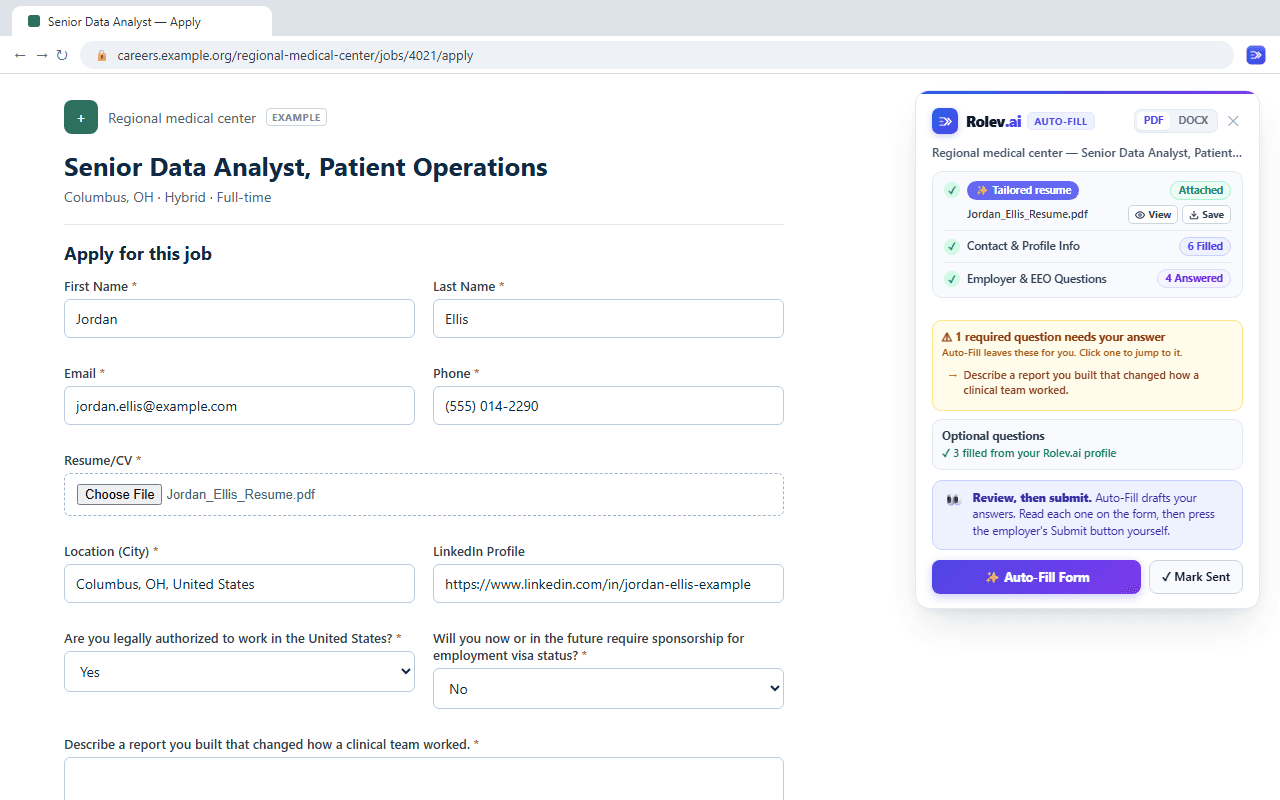
The Rolev.ai extension attaches the resume you chose, fills the same twenty answers every application asks, and leaves the one question only you can answer. You read it and press Submit.
Three steps, once
Install it, sign in once, and every application form after that starts filled.
Launched from Rolev.ai, it sends the exact version you approved
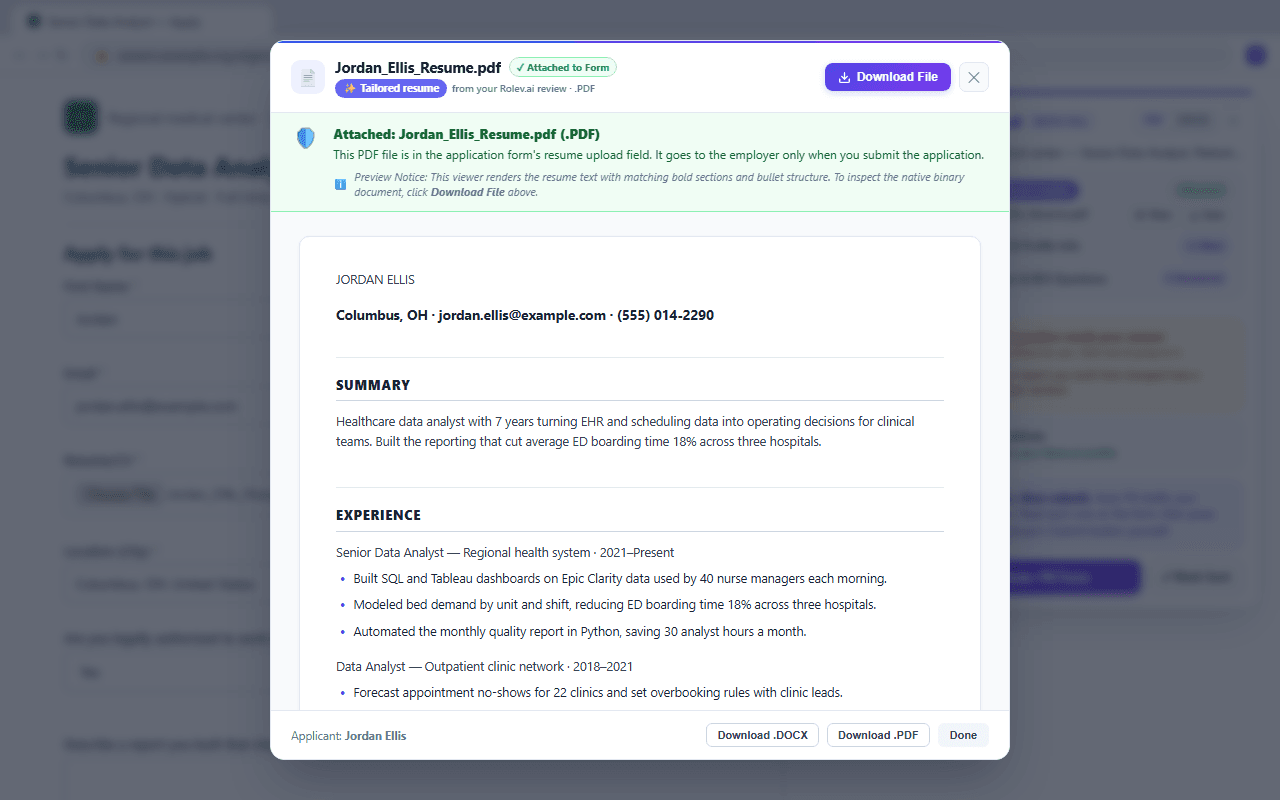
Tailor a resume on Rolev.ai, launch the employer's site from the review, and the extension attaches that Tailored or Full Match file, with the cover letter and the drafted screening answers. When the confirmation page appears, the application is marked Applied in your dashboard with the resume that was sent.
The panel, the file, the popup
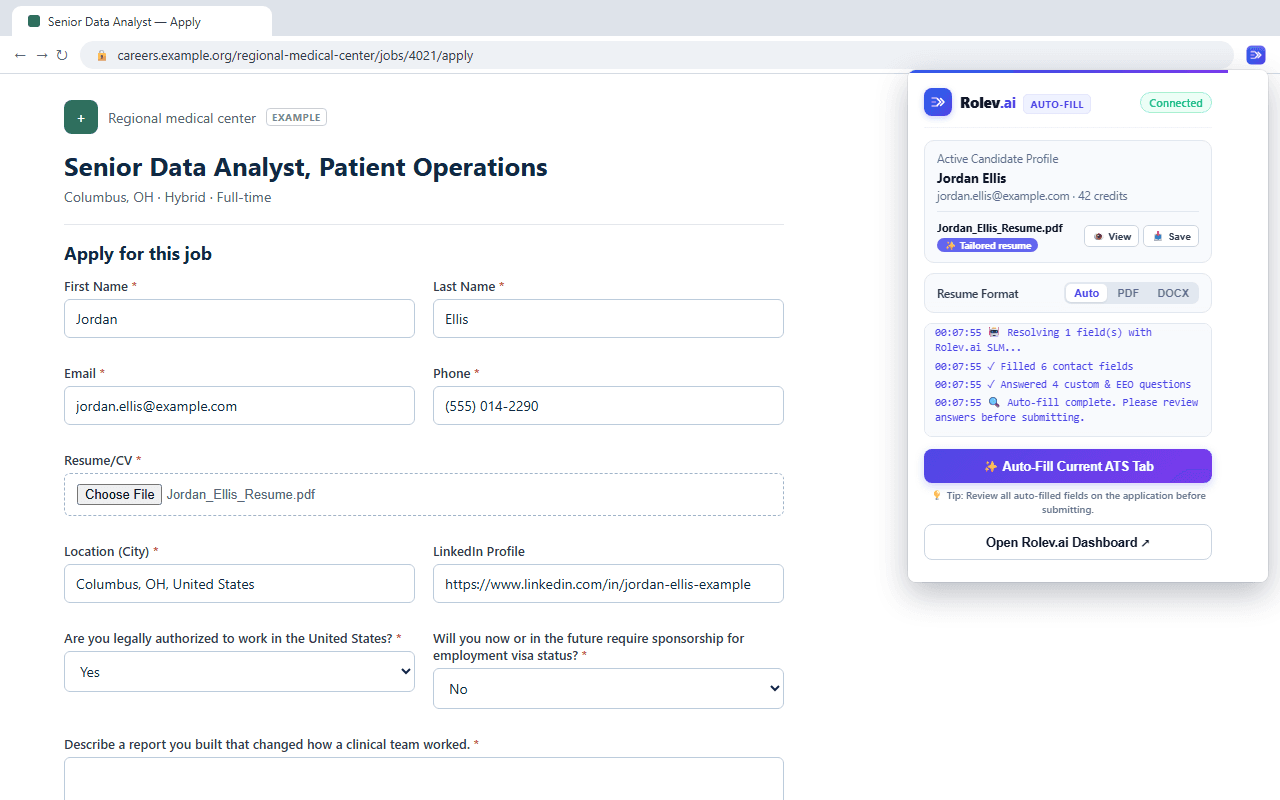
An invented candidate on an invented employer's form. The panel and popup are the real extension.
What it fills
- Your resume, attached as PDF or Word
- Name, email, phone and location
- LinkedIn, portfolio and other profile links
- Work authorization and visa sponsorship
- Earliest start date and your salary minimum
- Voluntary equal-opportunity questions, only with answers you saved
- The employer's screening questions, from the answers drafted on Rolev.ai
What it never does
- Never presses Submit: you read every answer, then send it yourself
- Never creates accounts or types into password fields
- Never ticks legal attestations or consent boxes for you
- Never runs on any site that isn't an application page
- Never sends a page to Rolev.ai until you press Auto-Fill
On the systems employers use to collect applications
The panel appears on the application pages of these systems, including jobs that aren't listed on Rolev.ai. It does not run anywhere else.
Names belong to their owners. Rolev.ai is an independent product, not affiliated with, sponsored by or endorsed by any of them or by any employer.
Before you install
Does it submit the application for me?
Does it work on jobs that aren't listed on Rolev.ai?
What does it cost?
Which browsers?
Do I need to sign in again?
The Auto-Fill panel isn't showing on an application page.
What does it send, and where?
Stop retyping your resume
Free with your Rolev.ai account. Add it now, and the next application form you open starts filled.
Or open the Chrome Web Store listing.